Designing Arabic-first software: right-to-left is just the start
How to build business software that feels native in Arabic: RTL layout, typography, mixed text, numbers, dates, currency, terminology and testing.
Most business software used in the Arab world was designed in English and translated later. You can tell: buttons in the wrong place, numbers that jump around, and Arabic text squeezed into boxes made for shorter English words. Arabic-first software starts from the other end. Arabic is treated as a primary language from the first sketch, and English is the second language the product also speaks well.
This guide collects what we have learned building Azha ERP and UsoolSaver for companies in Saudi Arabia, the Gulf and Egypt. It is written for product owners, designers and developers, and for business owners who want to know what to ask of a software vendor.
What "Arabic-first" actually means
Arabic-first means the Arabic version is designed, written and tested as a complete product, not generated from the English one. Right-to-left (RTL) layout is only the visible part. A product is Arabic-first when:
- every screen was reviewed in Arabic with real data, not only in English,
- layout, typography, numbers, dates and currency follow deliberate rules,
- the vocabulary matches how people in the region actually describe their work,
- users who work mostly in Arabic were part of testing.
Arabic-first vs translated software
| Area | Translated afterwards | Arabic-first |
|---|---|---|
| Layout | English layout flipped automatically | Mirroring decided element by element |
| Fonts | Latin font with fallback Arabic glyphs | Typeface designed for Arabic |
| Text length | Arabic squeezed into English-sized boxes | Space planned for both languages |
| Mixed text | Codes and numbers jump around | Bidirectional text isolated and tested |
| Wording | Literal translation of English terms | Terms customers already use |
| Testing | Checked by a translator | Tested with Arabic-speaking users |
Mirror the layout, not everything
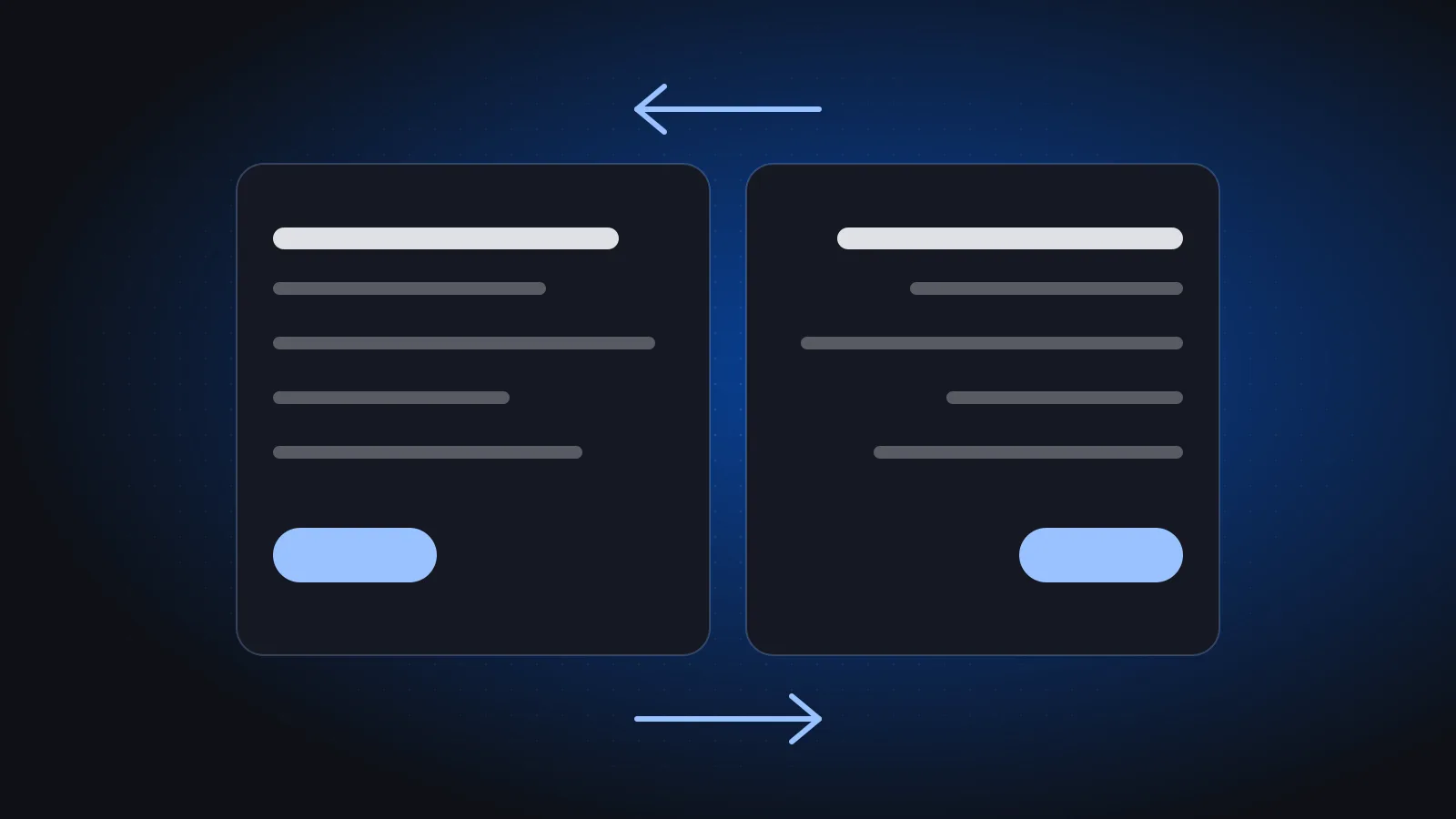
The direct answer: mirror the direction of reading, and keep anything that is inherently directional as it is.
In RTL the whole flow reverses: navigation, reading order, progress bars, breadcrumbs, "next" and "back" arrows, and the position of icons relative to their labels. But some things should not flip:
- phone numbers, invoice numbers and codes such as
INV-2048, - charts with a time axis, which most users still read left to right,
- media controls and logos.
A quick mirroring checklist
- Set the document direction properly (for example
dir="rtl"on the page) instead of right-aligning text by hand. - Use logical layout properties such as start and end, rather than left and right, so components flip automatically.
- Review every icon: arrows and "send" icons usually flip, while a checkmark, a clock or a brand logo does not.
- Check tables: column order follows reading direction, but numeric columns still need to line up so they can be compared.
- Test the English version again afterwards. Fixing RTL can quietly break LTR.
Typography needs room
Arabic letters have taller ascenders and deeper descenders than Latin letters, and they join together. Treating Arabic as "English with different letters" produces cramped, hard-to-read screens.
Practical consequences:
- use a typeface designed for Arabic, not a Latin font with fallback glyphs,
- increase line height for Arabic headings and paragraphs,
- never add letter spacing to Arabic. It breaks the joins between letters,
- avoid all-caps style tricks and tracking effects borrowed from English design, since they have no Arabic equivalent,
- check that bold and small sizes stay legible, especially in dense tables and on phones.
Plan for text length in both directions
An Arabic label is not always longer than its English equivalent, and the reverse is not always true either. Design buttons, table headers and menus so they can grow or wrap gracefully. Hard-coded widths are the most common source of truncated Arabic labels.
Mixed text is the normal case
In business software, bidirectional text is not an edge case. A single invoice line can contain an Arabic customer name, an English product name, a SKU and an amount. The interface must handle this without characters jumping around.
Good practice:
- Isolate numbers, codes, email addresses and English names inside Arabic sentences so the text engine treats them as one unit.
- Set direction per field where needed. An email or IBAN field reads left to right even on an Arabic screen.
- Test with real data, not lorem ipsum. Use real customer names, product names, codes with hyphens and slashes, and addresses that mix both scripts.
- Check exports too. PDFs, printed invoices, emails and spreadsheet exports often break bidirectional text even when the screen looks fine.
Numbers, dates and currency
These are decisions, not defaults. Make each one deliberately and apply it consistently across screens, reports and printouts.
| Topic | Decision to make | Notes |
|---|---|---|
| Digits | Western (1, 2, 3) or Eastern Arabic (١، ٢، ٣) | Many Gulf businesses use Western digits in finance even in Arabic interfaces |
| Calendar | Gregorian only, or Hijri alongside Gregorian | Some documents need Hijri dates as well |
| Currency | Symbol or code, position, decimal places | Formats differ between SAR, AED, KWD and EGP |
| Codes and IDs | Always left-to-right | Invoice numbers, phone numbers, references |
Make it configurable where it matters
Some choices belong to the company, not the developer. Which digits appear on printed invoices, or whether a Hijri date is shown, can reasonably differ between two companies using the same system. A setting is better than a hard-coded assumption.
If your product issues tax invoices in Saudi Arabia, formatting decisions also meet compliance. Our guide to ZATCA e-invoicing Phase 2 covers what the system itself must handle.
Words matter more than pixels
"Customer" in a shop is "student" in a school and "patient" in a clinic. Letting each business rename parties and fields to match its trade does more for adoption than any visual polish. That is why Azha supports custom labels.
A few rules for terminology:
- Use the terms your users already use, even when a dictionary offers a "more correct" word.
- Keep one term per concept across the whole product. If "warehouse" is مستودع on one screen, do not call it مخزن on another unless users really distinguish them.
- Build a glossary early and share it with designers, developers and translators.
- Watch accounting and legal terms closely. Small wording differences can confuse accountants or auditors.
Respect the dialect
Formal Modern Standard Arabic suits documents, reports, contracts and system messages. Marketing and onboarding can use the voice your customers speak. On this website, visitors from the Gulf read Khaleeji copy and other visitors read Egyptian copy, for exactly that reason.
A practical split:
- MSA: invoices, reports, field labels, error messages, legal text, help articles.
- Local voice: landing pages, onboarding tips, short notifications, social posts.
- Avoid mixing registers on the same screen, which reads as inconsistent.
Test with the people who will use it
Nothing replaces watching an accountant in Riyadh or a storekeeper in Cairo use the screen. Usability testing in Arabic surfaces problems no review catches: a term nobody recognises, a number that reads backwards, a button the eye never finds.
What to test
- Core tasks end to end in Arabic, such as creating an invoice or checking out an asset.
- Screens filled with real, messy data in both scripts.
- Printed and exported documents, not only the screen.
- Phones as well as desktops. Many audits and approvals happen on mobile, as in our guide to auditing assets with a phone.
- Switching between Arabic and English in the same session.
At Phoonix, design includes clickable prototypes tested with users before we build, and we demo working software weekly so issues surface early. You can see this approach in our client work, including Wtheq, a Saudi contract management and e-signature platform.
Frequently asked questions
Is RTL support the same as Arabic localisation?
No. RTL support only reverses the layout direction. Localisation also covers typography, bidirectional text, digits, dates, currency, terminology and tone. A product can be fully RTL and still feel foreign to Arabic-speaking users.
Should an Arabic interface use Western or Eastern Arabic digits?
There is no single right answer, so make it a deliberate choice. Many Gulf businesses use Western digits in finance even in Arabic interfaces. Whatever you choose, apply it consistently across screens, reports and printed documents, and consider making it a setting.
Why should I not add letter spacing to Arabic text?
Arabic letters connect to each other inside a word. Letter spacing pushes them apart and breaks those joins, which makes text look broken and harder to read. Use line height and font size to create breathing room instead.
Which dialect should business software use?
Use Modern Standard Arabic for documents, reports and system text, because it is understood across the region. A local voice can work well for marketing and onboarding, as long as you keep each register consistent within a screen.
If you are building software for this region and want a team that thinks Arabic first, explore our services or book a free 30-minute call to get a rough plan, timeline and price range.