How to run a fixed-asset audit with a phone in one afternoon
A step-by-step guide to a scan-as-you-walk asset audit: planning, audit-day checklist, handling discrepancies and closing the count with finance.
Most companies audit their fixed assets once a year, and most dread it. Someone prints a spreadsheet, walks every room with a clipboard, then spends days reconciling handwriting with the register.
A phone-based audit replaces that with a simple loop: walk, scan, review what did not match. With labels in place and a clean register, a typical office or small site can often be counted in an afternoon, and the result is easier to trust.
This guide covers how often to audit, how to prepare, what to do on the day, how to handle each type of discrepancy and how to close the audit with finance.
What a phone-based asset audit is
A phone-based audit is a physical count where you scan each asset's QR label as you walk the site, and the system compares what you found with what the register expected. It is also called physical verification of fixed assets.
The difference from a paper count is the evidence. A clipboard records what someone thinks they saw. A scan shows that the label was physically there when the auditor walked past. That makes the result easier to defend to management, external auditors and insurers.
It also removes the slowest step: typing handwritten notes back into a spreadsheet. The comparison happens as you scan.
How often should you audit fixed assets?
A common approach is a full count at least once a year, plus shorter spot checks on high-value or high-risk items in between. Your auditors, policies or lenders may require a specific frequency, so confirm with finance first.
Suggested rhythm, to adapt to your business:
| Asset group | Suggested check | Why |
|---|---|---|
| All registered assets | Full count once a year, before year-end close | Gives finance a verified register |
| Laptops, phones, cameras, tools | Quarterly spot checks | Small, portable and easy to lose |
| Vehicles and heavy equipment | Check at each maintenance visit | They are inspected anyway |
| Items on loan | Review open loans monthly | Overdue loans turn into missing items |
| Sites closing or moving | Full count before and after the move | Moves are when items go missing |
Because a phone audit is quick, many teams find that more frequent, smaller audits are easier than one large annual event.
Before audit day: preparation
Most audit problems are created before anyone starts scanning, so spend your effort on preparation. A clean register and clear zones make the walk itself fast.
Get the register right
- Every item has a QR label. If not, start with our QR tagging guide.
- Recent purchases are recorded. Otherwise they show up as unknown items.
- Disposals are recorded. Otherwise they show up as missing.
- Open loans are known. Items out with staff should not be counted as lost. A proper check-out and check-in process makes this easy.
Plan the people and zones
- Split the site into zones: one floor, warehouse, yard or building wing each.
- One person per zone, with a backup for large areas.
- Pick an audit owner who reviews discrepancies and signs off the result.
- Tell the site in advance so locked rooms, cabinets and vehicles are accessible.
Audit day: how to scan a site
Walk each zone in a fixed order, scan every label you see, and do not stop to investigate until the zone is finished. Speed and coverage matter more than perfection on the first pass.
- Open the audit for your zone on your phone.
- Walk in a fixed pattern, for example clockwise, room by room, so nothing is skipped.
- Scan every label you see, including items that look like they belong elsewhere.
- Note unlabelled items with a quick description and photo, and keep going.
- Check the obvious hiding places: cupboards, under desks, storerooms, meeting rooms and vehicles.
- Finish the zone, then review the list of items not yet found.
- Do a second, targeted sweep for the missing items only.
Audit-day checklist
- Phones charged, with the app open and signed in
- Zone list and auditor names confirmed
- Keys for locked rooms and cabinets available
- Holders of loaned items reachable by phone
- A spare roll of labels for damaged or missing tags
- Time set for a short wrap-up meeting to review discrepancies
The types of discrepancy and how to resolve them
When the walk is done, every mismatch falls into a small number of types, and each type has a standard fix. Agreeing the fixes in advance keeps the review short.
| Discrepancy | What it means | What to do |
|---|---|---|
| Missing | Expected in this zone, not scanned | Check holder, loans and other zones; search again before escalating |
| Misplaced | Found in a different location from the register | Usually an unrecorded move; update the location |
| Unknown | A label not in the register, or an item with no label | Register it, tag it and find out how it arrived |
| Damaged | Found, but broken or not working | Log it for repair or decide on disposal |
| Damaged label | Item found, label will not scan | Identify by asset code and reprint the label |
Investigating missing items
Missing does not mean lost. Before escalating:
- Check who last held the item and ask them.
- Check open loans, since it may simply be out with a colleague.
- Search the other zones' results, as it may have been scanned elsewhere.
- Check for unrecorded disposals or transfers with the site manager.
Only what remains after these checks should go to management as genuinely missing.
Closing the audit with finance
Close the audit by agreeing what happens to missing items, updating the register and giving finance a dated summary. An audit that is never closed becomes another spreadsheet nobody trusts.
Agree a written rule for missing items in advance. For example:
Items still missing after one further search within two weeks are reported to the department head. Write-off requires approval from finance and management, and the decision is recorded against the item.
Then:
- update locations and holders for every misplaced item,
- register and tag every unknown item,
- share the discrepancy summary with finance, so write-offs and disposals can be reflected in the fixed asset register and depreciation schedule,
- record the audit date and owner, so the next audit has a baseline,
- schedule the next audit or spot check before you forget.
If you run several companies, keep each company's audit and register separate. Our guide on running multiple companies on one ERP explains why that separation matters.
Running an asset audit in UsoolSaver
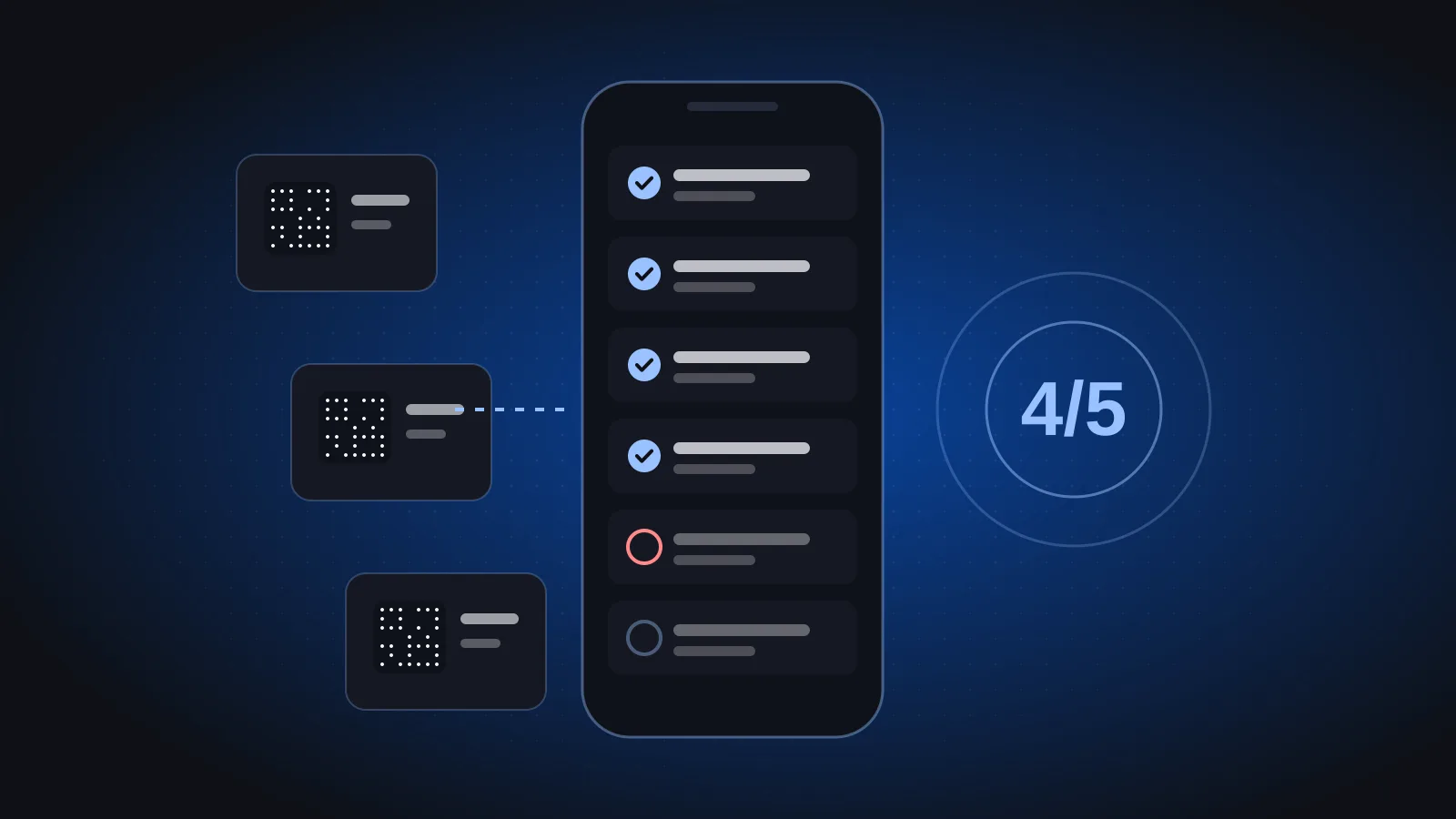
UsoolSaver is built for this kind of walk-and-scan audit. You walk the site with a phone and scan; the list ticks itself off as items are found, and missing items are flagged as discrepancies for review.
Each item's record also shows who holds it, where it is and whether it is out on loan, which answers most "missing" questions quickly. Each company has its own workspace, so audits stay separate. For the accounting side of write-offs and disposals, the Fixed assets module in Azha ERP handles the asset register and depreciation.
Frequently asked questions
How long does a phone-based asset audit take?
It depends on the number of items, the size of the site and how clean the register is. A labelled office with an up-to-date register can often be done in an afternoon. Large or messy sites take longer, so start with one zone and time it.
Who should perform the asset audit?
Ideally someone who is not the day-to-day custodian of the items, with the custodian available to answer questions. Many companies pair someone from finance or admin with someone who knows the site. The audit owner reviews discrepancies and signs off.
What is the difference between an asset audit and a stock count?
A stock count checks quantities of inventory you sell or consume. An asset audit verifies individual items you keep and use, such as laptops, vehicles and machinery, each with its own record, holder and location.
What if assets are not labelled yet?
Tag first, then audit. Run a labelling rollout using our QR tagging guide; the first full tagging pass effectively becomes your baseline count.
For more practical guides on operations and finance systems, visit the Phoonix blog. To see a walk-and-scan audit on your own item list, book a 30-minute UsoolSaver demo.